
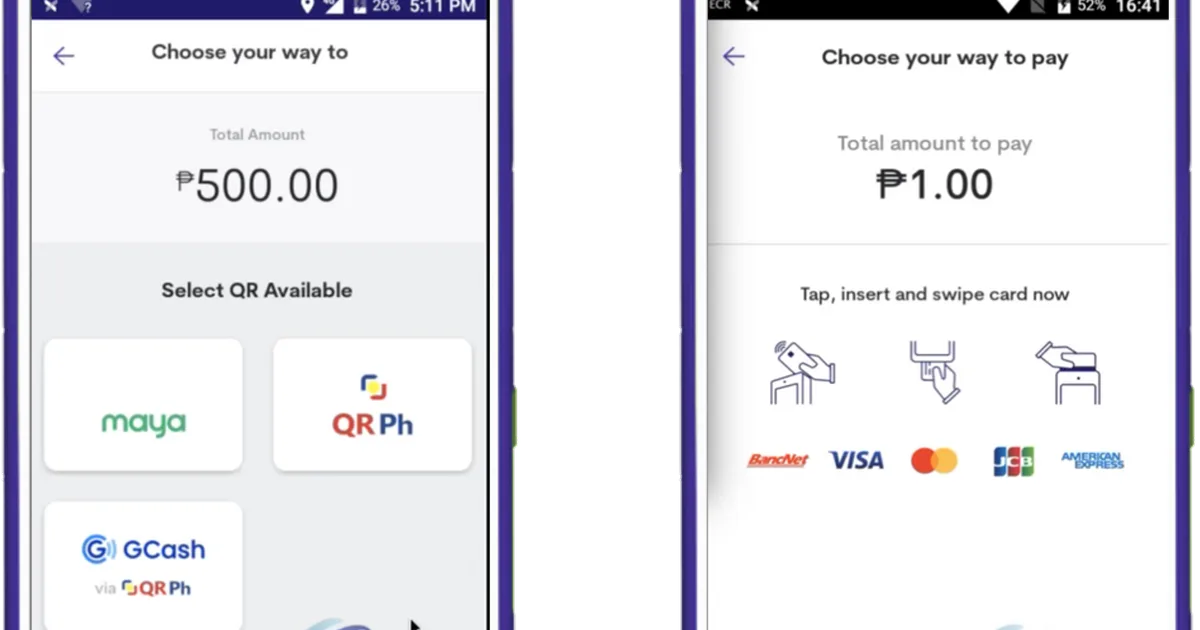
While GCash holds widespread adoption across the Philippines, Maya (formerly known as PayMaya) has emerged as one of the most reliable, feature-dense, and highly preferred digital financial apps for online casino enthusiasts. Powered by Maya Bank under the regulatory oversight of the Bangko Sentral ng Pilipinas, Maya provides seamless digital wallet services, integrated high-yield savings accounts, virtual Visa/Mastercard credentials, and robust security protocols.
Across regulated Philippine digital casinos, Maya offers significant operational advantages over standard banking channels, including faster cashier settlement speeds, higher monthly inbound transaction limits, and frictionless mobile QR deposits. However, successfully depositing and cashing out casino winnings via Maya requires an understanding of account verification tiers, identity matching rules, cashier settlement intervals, and transaction limits.
This comprehensive guide breaks down the mechanics of using Maya for online casino funding and withdrawals, account tier requirements, step-by-step cashier procedures, troubleshooting common transaction errors, and practical financial security practices.
Technical Specifications and Transaction Parameters
Before executing financial transactions, reviewing the standard cashier benchmarks for Maya across Philippine gaming portals provides clear operational clarity:
| Transaction Dimension | Maya Cash-In (Deposit) | Maya Cash-Out (Withdrawal) |
|---|---|---|
| Minimum Limit | PHP 100.00 per Transaction | PHP 100.00 per Transaction |
| Maximum Limit | PHP 50,000.00 per Transaction | PHP 50,000.00 per Transaction |
| Daily Inflow/Outflow Cap | Up to PHP 100,000 to PHP 500,000 (Tier dependent) | Up to PHP 100,000 to PHP 500,000 (Tier dependent) |
| Average Settlement Speed | 1 to 3 Minutes | 15 to 45 Minutes |
| Transaction Service Fee | 0% (Free of charge on verified portals) | 0% (Free of charge on verified portals) |
| Required Verification | Basic Mobile SIM Confirmation | Fully Upgraded Maya Account (Level 2 KYC) |
| Supported Protocols | Dynamic QR Ph / InstaPay / Direct API | Direct Wallet Transfer / InstaPay Payout |
Understanding Maya Account Verification Tiers
The single most common barrier players encounter when using Maya for casino withdrawals is attempting to cash out funds to an unverified or basic wallet account. Maya operates under a tiered regulatory structure established by the Bangko Sentral ng Pilipinas:
[Basic Maya Account] ──> [Submit Valid Government ID & Selfie] ──> [Fully Upgraded Maya Account] ──> [Unrestricted Cashouts]
Basic Account (Unverified)
- Monthly Inflow Limit: Capped at PHP 10,000 per month.
- Restrictions: Basic accounts cannot receive funds from third-party business accounts or automated casino cashier gateways. If a casino attempts to send your winnings to an unverified Maya wallet, the transfer will be automatically rejected by Maya's system and returned to your casino balance.
- Cashout Capability: Disabled.
Upgraded Account (Verified KYC)
- Monthly Inflow/Outflow Limit: Expanded to PHP 100,000 per month (or up to PHP 500,000 per month for high-tier Maya Bank users).
- Permissions: Full access to peer-to-peer transfers, merchant payments, ATM card cashouts, and incoming business payouts from gaming platforms.
- How to Upgrade: In your Maya app, tap
Profile > Upgrade Your Account. Submit a clear photo of one valid government-issued ID (such as a Philippine Passport, Driver's License, UMID, Postal ID, SSS ID, or PhilSys National ID) and complete a short 10-second facial video scan. Account approval typically finalizes within 15 to 30 minutes.
Step-by-Step Maya Cashout Walkthrough
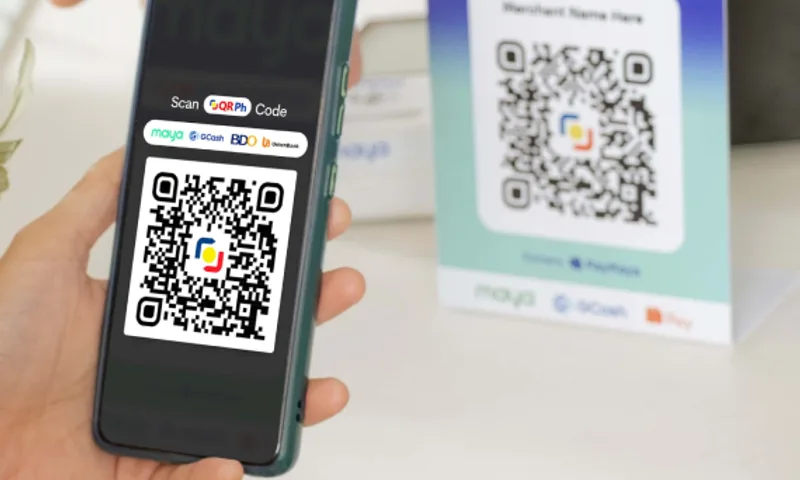
Once your Maya account is fully upgraded and your casino account has satisfied all turnover requirements, transferring your winnings follows a direct, secure process:
[Open Casino Cashier] ──> [Select Withdraw] ──> [Choose Maya Wallet] ──> [Input Amount & Security PIN] ──> [Instant Credit]
Step 1: Access the Withdrawal Interface
Log in to your casino account on your mobile browser or Android app. Navigate to "Member Center" and select "Withdraw" (or "Mag-withdraw").
Step 2: Bind Your Maya Wallet Credentials
If you have not previously linked Maya to your casino profile:
- Tap "Add Bank / E-Wallet".
- Select "Maya" (or PayMaya) from the digital wallet dropdown menu.
- Input your active 11-digit Maya mobile phone number (format:
09XXXXXXXXX). - Enter your exact legal name as registered in both your casino profile and your Maya account. Tap "Save".
Step 3: Enter the Withdrawal Amount
Type the amount you wish to withdraw, ensuring it falls within the permitted minimum (PHP 100) and maximum transaction limits. Ensure your withdrawable cash balance (unlocked balance) covers the requested sum.
Step 4: Authorize with Your Transaction Password
Enter your 6-digit casino security PIN. This security checkpoint ensures that unauthorized individuals cannot divert funds from your gaming balance if your phone is unattended.
Step 5: Payout Processing and Delivery
Tap "Confirm". The transaction status moves to "Under Review". The casino's financial automation system validates turnover clearance and dispatches funds through InstaPay. You will receive an official push notification and SMS from Maya confirming the incoming deposit, with average arrival taking between 15 and 45 minutes.
The Critical Identity Matching Directive
[!WARNING]
Non-Negotiable Rule: The legal full name registered in your online casino profile must match the exact legal name verified on your Maya account.
Under anti-money laundering regulations enforced by authorities like PAGCOR and the Bangko Sentral ng Pilipinas, licensed operators are legally barred from processing withdrawals to third-party accounts:
- If your casino profile name is "Carlo Santos" and your Maya wallet is registered under "Maria Santos", your withdrawal will be permanently declined.
- Attempting to withdraw funds to accounts belonging to friends, family members, or colleagues will flag your account for security audits and freeze pending withdrawals.
- Always register your casino account using your genuine, legal identity to ensure smooth cashout settlements.
Troubleshooting Common Maya Transaction Difficulties
If you encounter unexpected friction when depositing or cashing out with Maya, consult this diagnostic guide:
| Issue Encountered | Root Cause | Immediate Action Required |
|---|---|---|
| Withdrawal "Rejected by Recipient Bank" | Your Maya account is not fully upgraded, or you reached your monthly inbound limit. | Upgrade your Maya wallet via valid ID in the Maya app; verify whether your cumulative monthly incoming funds have exceeded PHP 100k. |
| "Name Discrepancy" Error | Registered name on the casino does not match your Maya profile name. | Contact 24/7 Live Customer Chat with your valid ID to reconcile spelling differences or middle initial variations. |
| Status Shows "Processing" Over 1 Hour | InstaPay network maintenance or routine risk audit on high-stake withdrawals. | Verify your registered email for any KYC identity requests; if clear, contact Live Support with your Withdrawal Reference ID. |
| Maya Deposit Deducted, Balance Not Credited | Order status confirmation check timeout during cellular network switching. | Wait 5 minutes; log out and log back in to refresh wallet cache; check Member Center > Deposit History with your Maya Ref No. |
| "Invalid Wallet Number" Prompt | Format error entered during account binding (such as including +63). |
Enter your mobile number starting with 09 (total 11 digits); avoid spaces, dashes, or international prefixes. |
Advantages of Maya Over Traditional Payment Channels
For regular online casino players in the Philippines, Maya offers several distinct operational benefits compared to standard banking or alternative e-wallets:
- Superior Inbound Limits: Upgraded Maya accounts accommodate monthly limits of PHP 100,000 to PHP 500,000, significantly higher than entry-level tiers on alternative e-wallets, preventing "Wallet Capacity Reached" payout rejections.
- Instant Digital Card Integration: Maya instantly issues a virtual Visa or Mastercard within the app, allowing you to fund international accounts or execute transactions where direct e-wallet QR codes are temporarily unavailable.
- Integrated High-Yield Savings: Winnings transferred from your casino balance to Maya can be moved with a single tap into Maya Savings, earning competitive daily interest and isolating your profits from active gambling balances.
Practical Financial Security for Players
While Maya deploys multi-layered biometric and cryptographic defenses, personal security discipline remains your vital protection:
- Never Share Your 6-Digit Maya Password or OTP: Official representatives from Maya or casino portals will never contact you asking for your mobile One-Time Password, account password, or transaction PIN. Anyone soliciting these credentials is an unauthorized imposter.
- Enable Biometric App Security: Activate Fingerprint or Face ID login within the Maya app settings (
Security > Biometrics) to prevent unauthorized access if your smartphone is misplaced. - Maintain Proof of Transaction: Capture a screenshot of every completed deposit and withdrawal confirmation screen until funds are fully reflected in your respective accounts.
Responsible Gaming Commitment
Online gaming should always remain an enjoyable form of casual recreation. Real-money wagers must never be placed with funds needed for everyday household expenses, utility bills, or family savings. If you ever feel that your betting activity is becoming unmanageable or creating personal stress, seek free, confidential professional assistance through Gamblers Anonymous or Gambling Therapy.
Frequently Asked Questions
Can I withdraw casino winnings to an unverified basic Maya account?
No. Basic Maya accounts cannot receive funds from business merchant accounts or gaming platforms. You must upgrade your Maya wallet by submitting a valid government ID before requesting a cashout.
What is the minimum withdrawal amount when using Maya?
On standard partner gaming platforms, the minimum withdrawal limit for Maya is PHP 100.00, making it easy for players to cash out modest winnings.
Are there any transaction fees deducted from Maya cashouts?
No. Regulated platforms do not deduct processing fees for withdrawals sent to verified Maya accounts; you receive 100% of your approved withdrawal total.
How long does a Maya withdrawal take to reflect in my app?
Under normal operating conditions, approved casino withdrawals sent via InstaPay arrive in your Maya wallet within 15 to 45 minutes.
Can I deposit on a casino using Maya QR Ph codes?
Yes. Modern online casino cashiers generate unified QR Ph codes that can be scanned directly using the scanner feature inside the official Maya application for instant account funding.
Related Guides & Silo Navigation
- Return to Payment Gateways Hub — Complete Philippine cashier and banking guides.
- MILYON88 GCash Deposit Tutorial — Step-by-step mobile QR deposit walkthrough.
- Fast Withdrawal and KYC Verification — Complete cashout requirements.
- MILYON88 Promotions Directory — Active welcome bonuses and turnover terms.
- Return to MILYON88 Brand Hub — Full platform review and educational directory.